Picture a singer under one hard white spotlight, with the rest of the stage properly black. You shoot, look at the screen, and the face is a bright blob with no skin detail while the black backdrop has turned a dull charcoal. Nothing is broken. The meter did what it was built to do, which is to handle a different kind of scene.
Camera metering modes are the rules your camera uses to decide how bright a photo should be. Pick the wrong rule at a concert and you spend the whole night correcting for it. Pick the right one, and know how to nudge it, and exposure gets pleasantly boring.

The meter wants everything to average out to grey
Every in-camera meter works from the same basic assumption: whatever it measures should come out as a mid-tone. Fstoppers says in its spot metering explainer that the meter doesn’t know what your subject is, and just tries to render what it reads as middle grey. A snowfield comes out grey. A black cat comes out grey.
A gig is that problem at full strength: a spotlit face on a black stage contains a small amount of very bright information and a huge amount of nothing. If the meter averages the lot, it concludes the scene is dark and raises exposure until the “nothing” looks greyer, and the face gets blown out.
That is why the exposure triangle is only half the story. Aperture, shutter speed and ISO are the dials, but the meter decides where you start, and at a venue it often starts you in the wrong place.
The four modes on a Sony, in plain terms
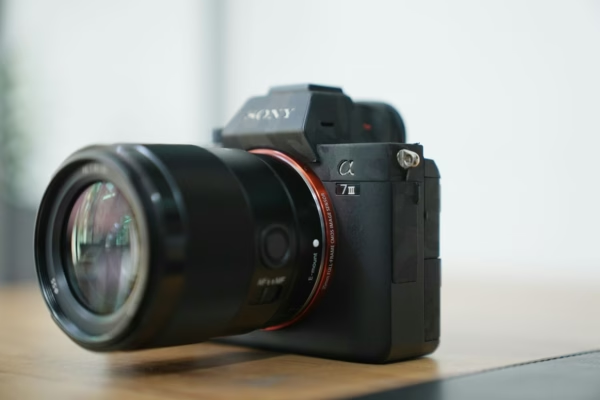
Names differ between brands and even between bodies, so check your menu. On the Sony cameras I use, the options (from Sony’s help guides) are:
| Mode | What it reads | Concert verdict |
|---|---|---|
| Multi (matrix or evaluative elsewhere) | Divides the frame into zones, measures each, works out a balanced exposure | Fine in bright, even light. Easily fooled by black backdrops |
| Center | Whole frame averaged, with extra weight in the middle | Predictable, which is its main virtue |
| Spot | Only a small circle, standard or large size | Best tool for a lone lit performer, if you aim it well |
| Entire Screen Avg. or Highlight | Average of the whole frame, or a bias towards the brightest area | Highlight protects bright areas, but darkens the performer if something brighter is in the frame |
Sony’s own wording for Highlight is blunt: the subject may be dark if a brighter part exists on the screen. At a gig that brighter part is often a stage light pointing at you, so I treat Highlight as a niche tool and don’t leave it on.
In Multi, some Sony bodies offer Face Priority in Multi Metering, where the camera sets brightness from detected faces. It is worth switching on for lit, frontal singers, and does nothing for a face in silhouette.
Check too that you are not in a mode that has taken the choice away. Sony says Metering Mode is fixed to Multi in Intelligent Auto, Superior Auto and Scene Selection.
Why spot metering is the usual answer, and where it bites
The common advice for spotlit stages is to switch to spot, put the spot on the performer’s face and let the surroundings fall black. Fstoppers lists stage lighting as one of its main use cases, and I agree. The meter ignores the dark, so the face is exposed on its own terms.
Spot has sharp edges, though.
- The spot covers a tiny area, roughly 1 to 5 percent of the frame according to Fstoppers. If it lands on a dark guitar strap instead of a cheek, the camera will brighten everything.
- On many bodies the spot follows the active focus point. On others it sits fixed in the centre. If yours is fixed, you need AE lock and a recompose, which is slow when a singer moves.
- It still aims for mid-grey. Meter a pale face and it will try to make it greyer than it is.
That last point is why spot alone isn’t the full answer.
Exposure compensation does the real work
Exposure compensation tells the camera to deviate from what the meter wants. Dial in minus one and everything comes out one stop darker than the meter’s opinion. In the semi-automatic modes covered in my shooting modes guide, it is the lever that keeps you in charge without dropping into full manual.
Photographers shooting live music lean on negative compensation heavily. Andrew King, a UK concert photographer, writes that the key in all gig photography is to expose for the face, and that he often uses -2 EV or lower on high-contrast stages. A meter that wants to lift a dark stage needs a firm pushback.
Not everyone uses spot to get there. Plenty of working shooters on forums prefer evaluative or matrix metering with negative compensation, adjusted until only the tiniest specular highlights blink on playback. Both approaches work, as long as you are compensating.
My own rule of thumb in most pits: start at minus one in matrix, shoot a frame in the first song, check it, and move from there. If it’s a pure spotlight look, switch to spot on the face and go from minus two-thirds. The numbers are starting points, and lighting changes mid-song.
When to use which, by lighting type
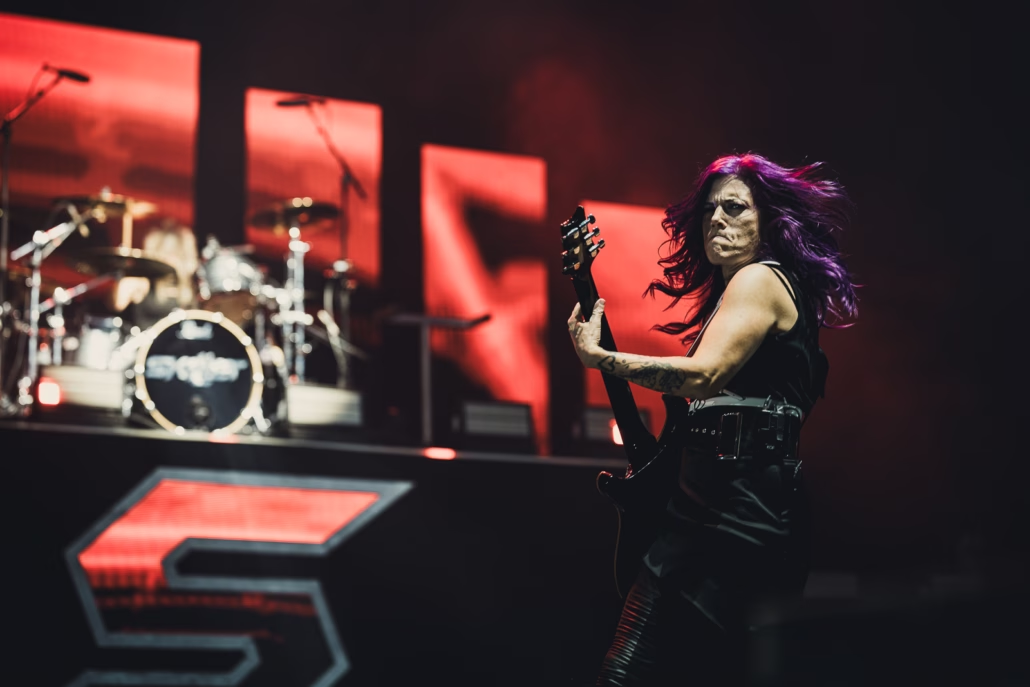
Andrew King’s breakdown of concert lighting is a useful way to think about it, and I’ve found it holds up.
- Bright, full-stage wash: behaves like daylight. Matrix with little or no compensation is usually fine, as long as the performer fills enough of the frame.
- Black backdrop with a lit singer: matrix will overexpose. Use spot or compensate downwards.
- Hard spots on faces in dark rooms: let the shadows go black. You can also keep shutter speed fast without cranking ISO, since the lit areas are very bright.
- Dim, flat, domestic light: meter on the face and favour sharpness. Noise can be tidied afterwards, motion blur can’t.
- Single-colour LED spots: these throw intense saturated light that can make faces hard to read. A lens hood and moving out of the beam’s line help, and so does exposing for the face rather than the lit patch of the stage. More on this in my guide to stage lighting.
Check the histogram, not the screen
A meter gives you a starting point. A histogram tells you whether it worked, because the rear screen brightens and darkens depending on the room. Fstoppers suggests checking the histogram after any spot-metered frame, and that goes double at a gig. Look for the right edge. If the highlights pile against it on a singer’s face, pull compensation down.
If you shoot Auto ISO, bear in mind it can shift exposure behind your back, even in manual. When I want exposure to stay put while I recompose, I lock the ISO.
Try this at the next concert
- Set your camera to Aperture Priority or Shutter Priority, with ISO fixed.
- Take one frame in matrix with 0 compensation. Note how the face looks.
- Take another at -1, then at -2. Compare on the histogram, not on the screen.
- Switch to spot, aim it at a face, and repeat.
- Note which settings kept skin detail and held the black. That’s your baseline for this venue.
I do a version of this at the start of every set, since the lighting designer’s choices shift the answer. If you want the full list of settings I pair this with, my concert camera settings guide covers it, and the wider picture is in the complete concert photography guide.
FAQ
What is the best metering mode for concert photography?
It depends on the stage. Spot metering on the performer’s face is the most reliable for a lone lit singer on a dark stage. Matrix with negative exposure compensation is easier on the move and works well when the light spreads over the whole band. Try both in the first song and keep whichever gives you detail in the skin.
Is matrix metering the same as evaluative metering?
Mostly. Matrix, evaluative and multi-pattern are different brand names for the same idea of measuring zones across the frame and combining them. Sony calls it Multi. The exact algorithm differs between manufacturers and models, so results are similar rather than identical.
Why are my concert photos overexposed even though the meter says it’s fine?
The meter assumes the scene averages to mid-grey. A black stage with a bright face is far darker than that on average, so the camera lifts exposure and burns out the face. Use spot metering on the face or dial in negative exposure compensation, often one to two stops.
Should I use spot metering or exposure compensation?
You will often use both. Spot decides which part of the scene the meter reads. Compensation tells the camera how far to shift from that reading. Spot alone still aims for mid-grey, so a pale face typically needs a little negative compensation on top.
Does metering matter if I shoot in manual mode?
Yes, in a different way. In manual you set exposure yourself, but the meter reading in the viewfinder still guides you, and it is affected by the metering mode. Many people set manual exposure from a spot reading of the face, then leave it alone while the lighting stays similar.